What it does
It sits between your agent and your machine.
Every tool call stops here first. You see the command, the risk, and the diff — then decide.
Answer from the notch
Deny, Allow Once, Always, or Bypass without leaving what you're doing. ⌘⇧Space from anywhere; ⌘1–⌘4 answer the top prompt; or reply straight from the system notification.
See the risk before you approve
rm -rf, curl | sh, sudo, writes outside the
working directory, edits to .ssh or .env, force-pushes —
all flagged. Edits show the actual diff, not a file path.
Engagement scope
Hosts, domains, or CIDR blocks in a file. Anything reaching outside is flagged — and scope overrides every convenience rule you've set.
Reports you can hand over
Every decision logged locally. Export any date range as Markdown: denials, high-risk calls, per-project volume.
Live sessions
Project, terminal, context tokens, current tool, git branch and uncommitted files. Interrupt one without switching windows.
See it
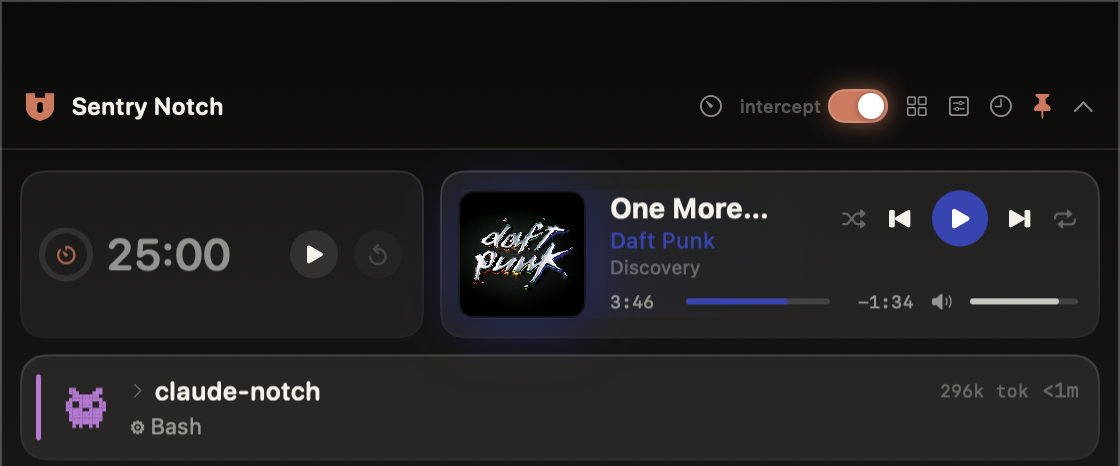
The notch, and everything behind it.
Live sessions, the player, and a timer in the island — with the full decision record a click away.
Real footage, not a mock — a risky command arrives, flagged, and denied in one click.
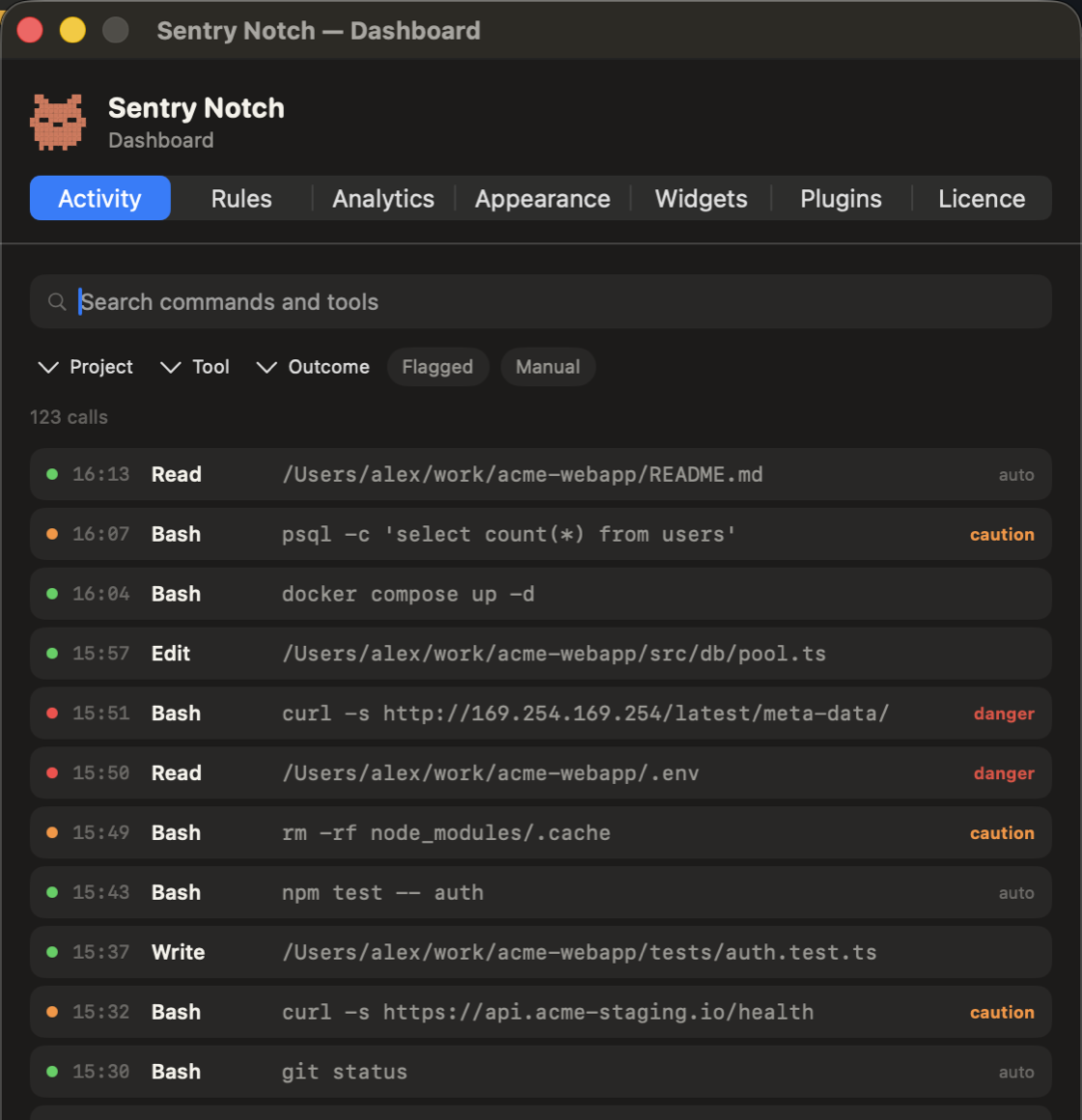
Every decision, searchableFilter by project, tool, outcome or risk. Red is blocked, amber is allowed-but-risky.
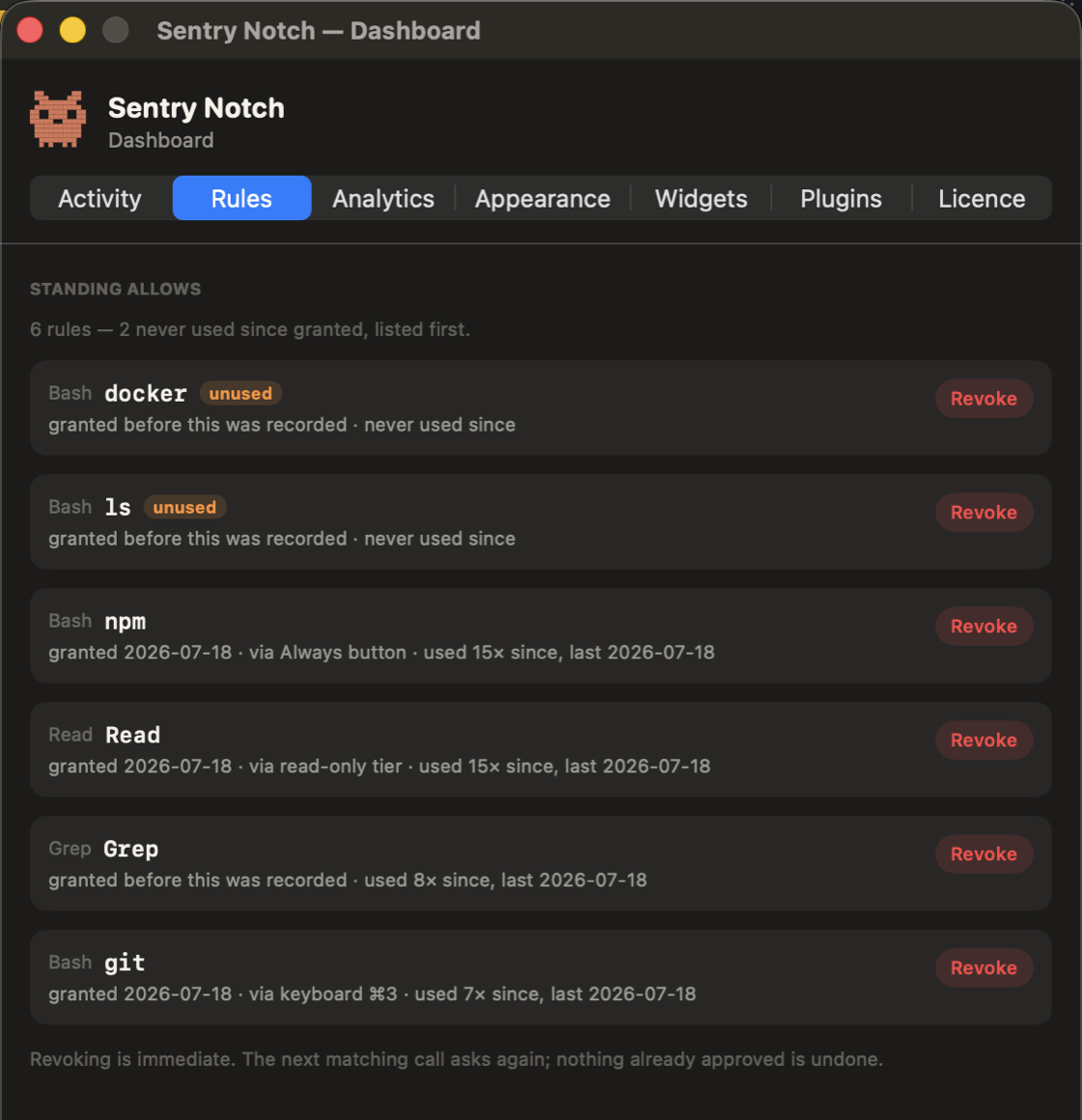
Standing allows, with receiptsWhen you granted it, how, and whether it has ever fired. Unused rules sort first, ready to revoke.
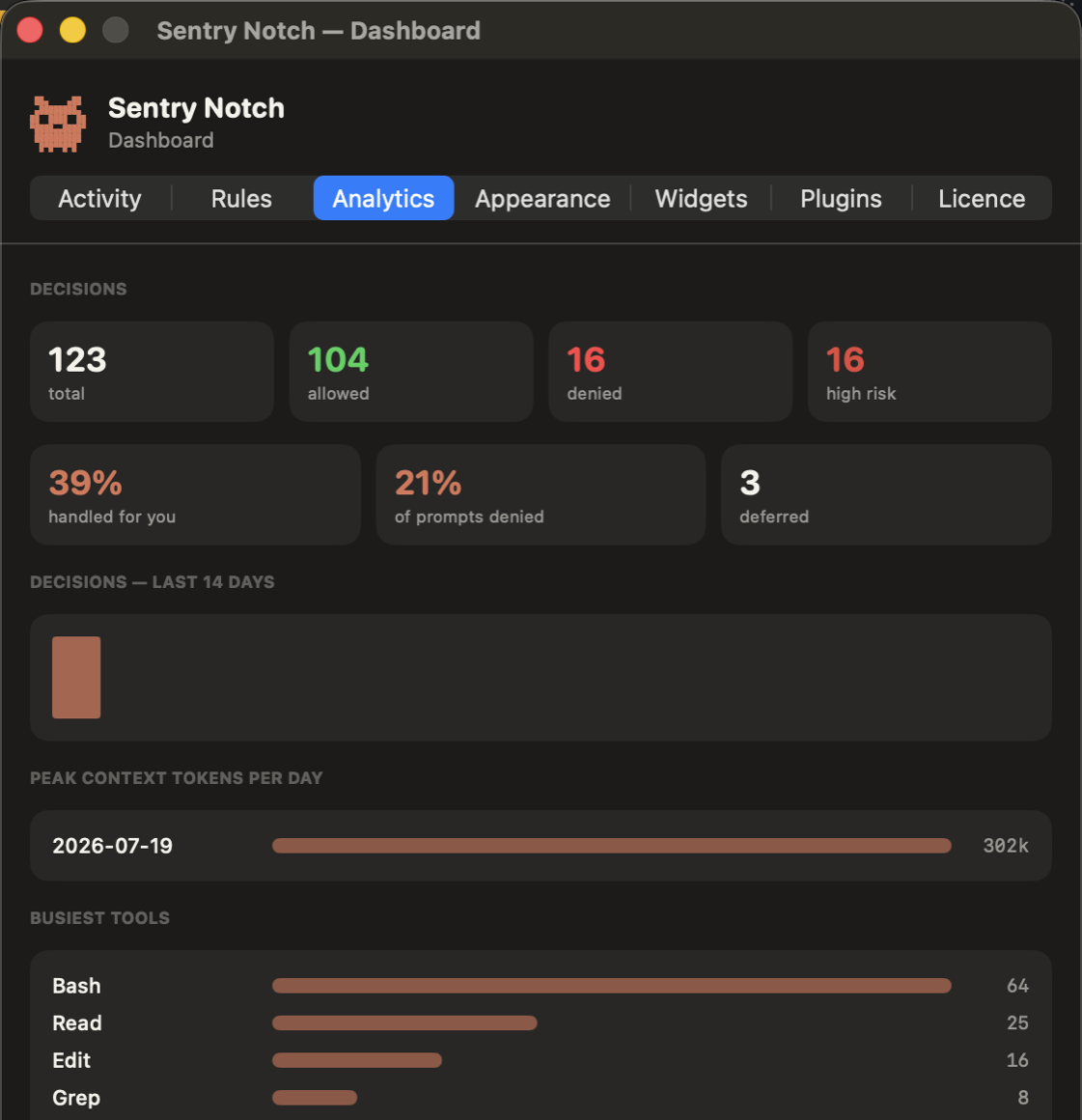
The shape of a runHow much was handled for you, what you denied, and which tools did the work — exportable as a Markdown report.
Screenshots use synthetic data, not a real engagement.
Be clear about this
What it isn't
A review aid, not a security control. The risk and scope checks are heuristics. They will miss things.
It deliberately fails open. If the app isn't running, Claude Code's own permission flow proceeds untouched — so it will never wedge your shell, and equally it won't save you when it isn't running. Don't make it the only thing standing between an autonomous agent and something you care about.
Privacy
It reads your work. It never sends it.
Transcripts, commands, file paths, client hostnames — all of it stays on your Mac.
No account. No telemetry.
There is no server to send anything to. Your licence is verified offline with a signature, so the app never phones home — it works on an air-gapped machine, and it can't stop working because a service went down.
Two requests, ever
A daily version check, and album art — only for Spotify, and only if you switch on the Now playing widget. Apple Music covers never leave your Mac. Read the full policy →
Launch price
One payment. No subscription.
- Every Mac you own
- Free updates within this major version
- 14-day trial first — no card
- 14-day refund, no questions
- Safety features keep working even if your licence lapses
BTC, ETH, USDT, USDC, LTC, XMR and more. Your key is issued the moment the
payment confirms — no account, no email required.
5-seat team licence: $119
Before you buy
Two honest caveats
Requirements
macOS 14 or later, Apple silicon or Intel, and Claude Code installed. A notch isn't required — on other Macs the island sits under the menu bar.
It depends on Claude Code's hooks
Sentry Notch works by registering a PreToolUse hook. That interface
belongs to Anthropic and could change. I'll keep pace, but I can't promise
compatibility with software I don't control — so buy it for what it does today.